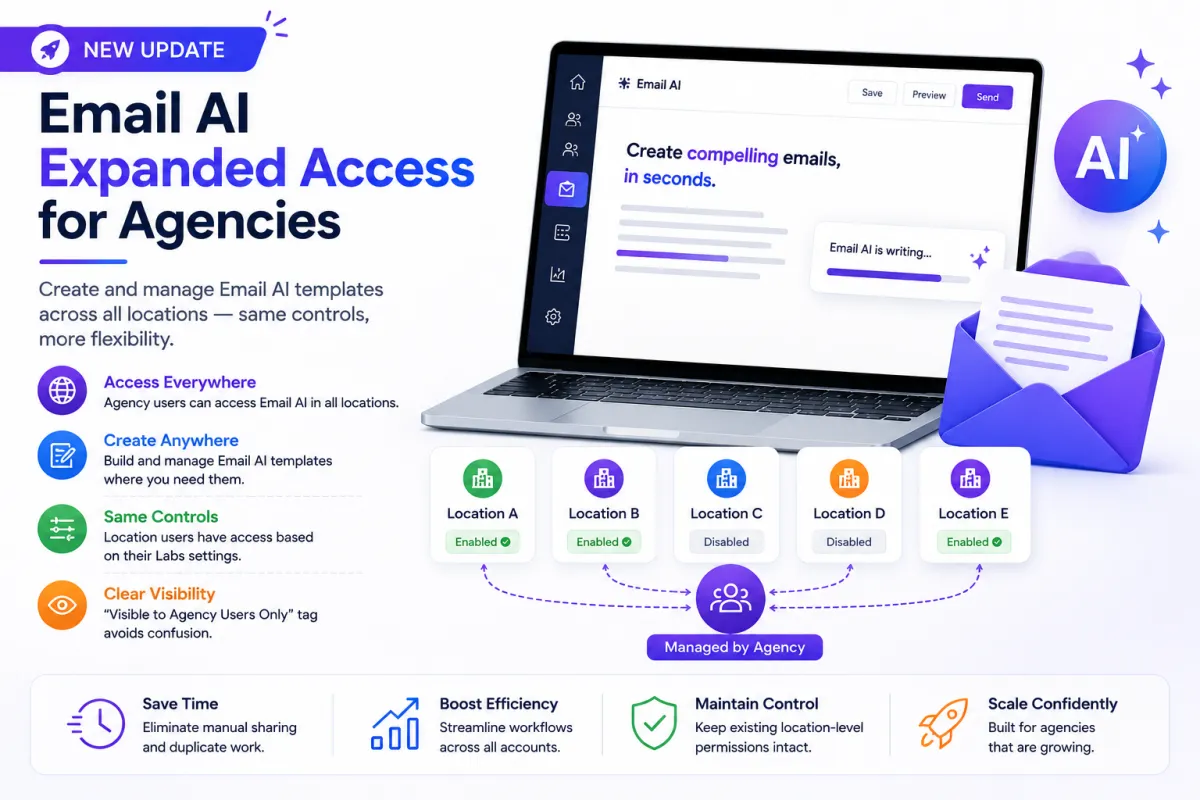
Email AI Expanded Access for Agencies: Work Smarter Across All Locations

Email marketing is one of the most powerful tools agencies use to drive engagement, nurture leads, and generate revenue for their clients. But when managing multiple client accounts, even small limitations in access and workflow can quickly turn into operational bottlenecks.
One such challenge agencies faced was with Email AI access across different locations. While Email AI made it easy to generate high-quality email templates, its availability was restricted by location-level settings. This created unnecessary friction for agency teams trying to work efficiently at scale.
With the latest update, that problem has been solved.
This new enhancement introduces expanded Email AI access for agencies, allowing agency users to create and manage templates across all locations—without disrupting existing controls.
Let’s break down what’s changed, why it matters, and how it improves your workflow.
The Problem: Limited Access, Increased Complexity
Before this update, Email AI access was tied to individual location settings. If Email AI was disabled in a specific location, agency users were unable to use it there—even if they had full administrative control.
This created several operational challenges:
Agencies had to identify specific locations where Email AI was enabled
Templates were often created in those locations only
Teams then had to manually copy or share templates across other accounts
This resulted in duplicate work and inconsistent workflows
For agencies managing dozens or even hundreds of client accounts, this process was not just inefficient—it was unsustainable.
Instead of focusing on strategy and execution, teams were spending time on repetitive tasks.
What’s New: Expanded Access with Smart Control
To address these challenges, Email AI access has now been expanded specifically for agency users.
Here’s what’s changed:
1. Email AI Access Across All Locations
Agency users can now access Email AI in every location, regardless of whether it is enabled at the location level.
This means:
No more switching between accounts to find enabled environments
No more restrictions when building templates
Full flexibility to work where needed
Agency teams can now operate seamlessly across their entire portfolio.
2. Create and Manage Templates Anywhere
With expanded access, agency users can:
Build email templates directly within any client location
Customize messaging based on client needs
Manage templates without leaving the workspace
This eliminates the need to create templates in one location and distribute them manually to others.
Everything can now be done in the right place, at the right time.
3. “Visible to Agency Users Only” Tag
To ensure clarity and avoid confusion, a new label has been introduced:
“Visible to Agency Users Only”
This tag appears when Email AI is not enabled for location users but is still accessible to agency users.
This helps:
Prevent misunderstandings between agency teams and clients
Clearly distinguish who can access and use Email AI
Maintain transparency across different user roles
It’s a small addition, but it plays a big role in keeping workflows clean and organized.
4. Existing Controls Remain Intact
One of the most important aspects of this update is that it does not override location-level settings.
Location users will still:
Have access to Email AI only if it is enabled in their Labs settings
Continue working within their defined permissions
This ensures that:
Agencies retain flexibility
Clients retain control
It’s the perfect balance between centralized management and localized control.
Key Benefits for Agencies
This update delivers immediate and tangible improvements for agencies of all sizes.
1. Faster Template Creation
Agency teams can now create templates directly in any location, reducing delays and eliminating unnecessary steps.
No more jumping between accounts or duplicating work.
2. Reduced Operational Effort
By removing the need to manually share templates across locations, this update significantly reduces repetitive tasks.
This means:
Less manual work
Fewer errors
More time for strategic execution
3. Consistent Workflow Across Accounts
With a unified approach to template creation, agencies can maintain consistency across all client accounts.
This ensures:
Brand voice alignment
Standardized messaging frameworks
Improved campaign quality
4. Better Scalability
As agencies grow, efficiency becomes critical.
This update enables teams to:
Handle more clients without increasing workload
Streamline operations across multiple locations
Build scalable systems that support growth
5. Clear Role-Based Visibility
The “Visible to Agency Users Only” tag ensures that access differences are clearly communicated.
This avoids confusion and maintains a clean separation between:
Agency-level capabilities
Client-level permissions
Real-World Use Case
Imagine an agency managing 50 client accounts.
Previously:
Email AI was enabled in only a few locations
Templates were created in those locations
The team had to manually copy templates to the remaining accounts
Now:
The agency can create templates directly in each client’s location
No duplication is required
Everything is built where it belongs
This results in a smoother, faster, and more organized workflow.
Why This Update Matters
This is more than just a feature update—it’s a shift toward agency-first efficiency.
By removing unnecessary limitations while preserving existing controls, this enhancement solves a real operational pain point.
It helps agencies:
Work faster
Stay organized
Reduce manual effort
Scale without friction
In a competitive environment where speed and efficiency matter, these improvements can make a significant difference.
Built for the Way Agencies Work
Modern agencies don’t operate in silos—they manage multiple clients, multiple campaigns, and multiple workflows simultaneously.
This update aligns Email AI with that reality.
It empowers agency teams to:
Build smarter systems
Operate more efficiently
Deliver better results for clients
All without being slowed down by technical limitations.
