Local SEO Heatmaps Upgrade: Smarter Marketing Audits with Multiple Keywords
Local SEO Heatmaps Just Got More Powerful in Local Marketing Audit
Local search visibility is rarely consistent across every service a business offers. A company may rank strongly for one keyword in a particular area while remaining almost invisible for another service only a few streets away.
That makes relying on a single keyword or heatmap limiting when evaluating a business's true local search presence.
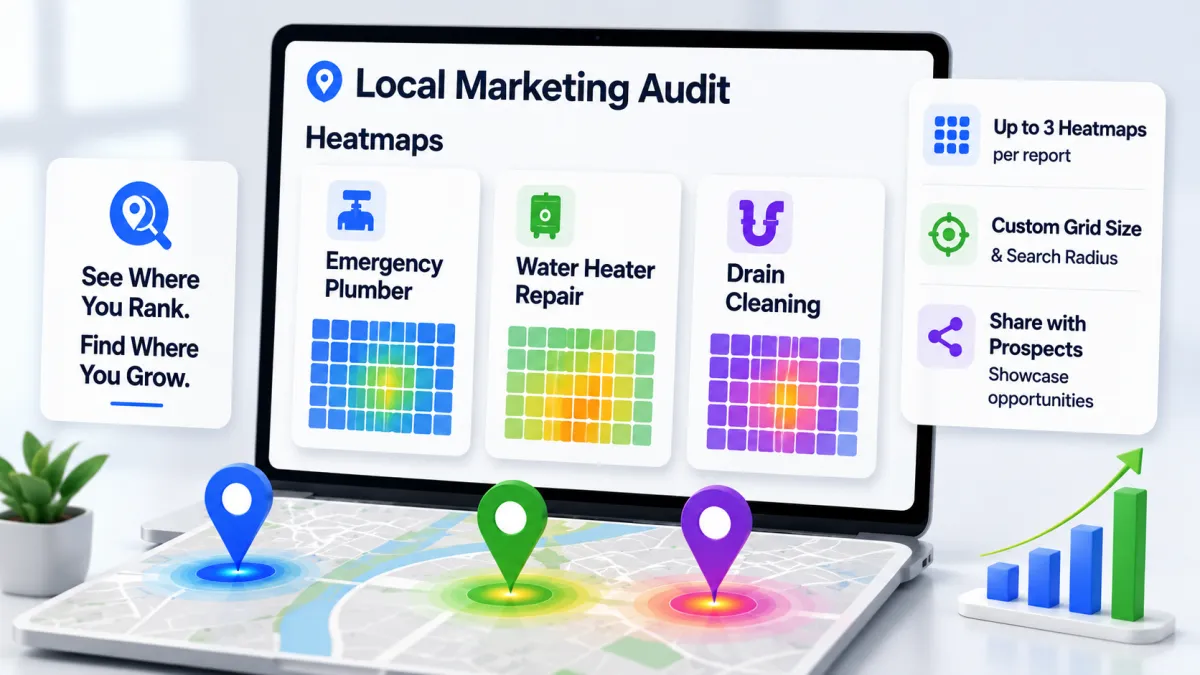
The latest enhancement to Local SEO heatmaps inside Local Marketing Audit Reports addresses this challenge by introducing multiple heatmaps, customizable coverage, better keyword control, and an improved experience when sharing reports with prospects.
Agencies can now create a more complete picture of local visibility and use that information to identify SEO opportunities, communicate gaps to prospects, and monitor existing clients more effectively.
Generate Up to Three Local SEO Heatmaps Per Report
The biggest change is the ability to create up to three Local SEO heatmaps for the same business.
Each heatmap can have its own:
Keyword
Grid size
Search radius
Previously, analyzing a business through a single heatmap could provide only a partial view of its local presence.
Consider a plumbing company offering several services. Instead of analyzing only "plumber," an agency could create separate heatmaps for:
"Emergency plumber"
"Water heater repair"
"Drain cleaning"
The business might perform well for emergency plumbing searches around its primary location but have weak visibility for water heater repair across surrounding neighborhoods.
Having three separate heatmaps makes those differences much easier to identify.
Better Understanding of Service-Level Visibility
Local rankings depend heavily on both search intent and geographic location.
A business appearing prominently for one service does not necessarily have the same visibility for another.
Multiple heatmaps allow agencies to evaluate local SEO at a more practical service level.
For example, an HVAC company may rank well for "AC repair" but poorly for "furnace installation." A roofing company could dominate searches for "roof repair" while having limited visibility for "commercial roofing."
These differences can reveal specific opportunities that might otherwise remain hidden in a broad Local SEO report.
Instead of simply telling a prospect that their local visibility needs improvement, agencies can show which services need improvement and where those gaps exist geographically.
Set Default Grid Size and Search Radius
The update also improves efficiency when creating multiple audits.
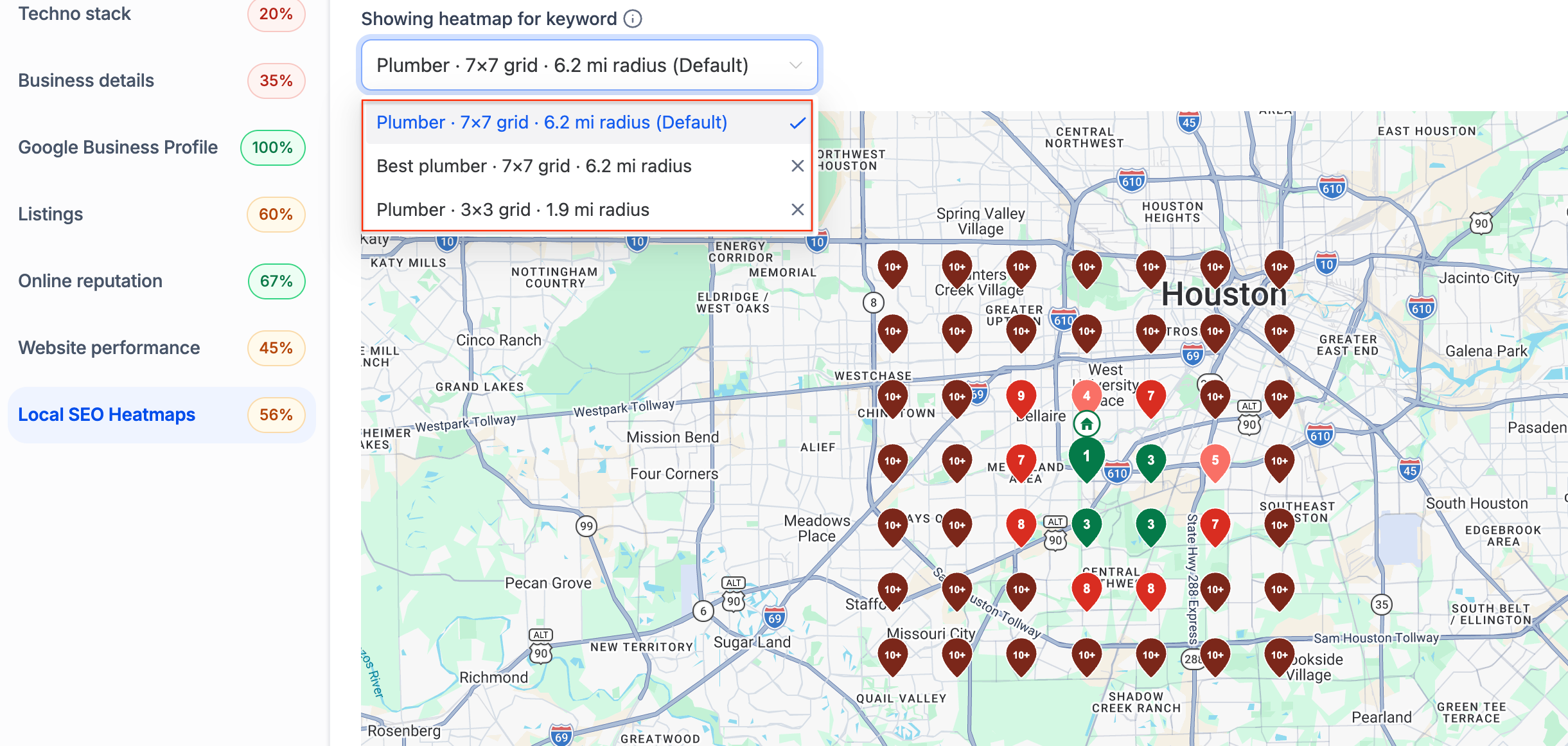
Agencies can now configure their preferred default grid size and search radius for Local SEO heatmaps.
Once configured, those preferences can automatically be used when creating future reports.
This is particularly helpful for agencies that follow a consistent audit process.
Rather than manually selecting the same grid and radius every time a new prospect is analyzed, the preferred configuration can become the starting point for future audits.
The result is:
Less repetitive configuration
More consistent reporting
Faster audit creation
Standardized geographic coverage
Agencies can still customize individual reports when a business requires a different search area.
Remove the Automatically Selected Keyword
Another useful improvement is greater control over the keyword being analyzed.
If the automatically selected keyword does not accurately represent the business or the service you want to evaluate, you can now remove it.
This matters because Local SEO audits are most valuable when they reflect commercially relevant searches.
For example, a business may technically fall under a broad category such as "contractor," while its primary revenue comes from kitchen renovations.
Analyzing "contractor" may provide some information, but a keyword such as "kitchen renovation contractor" could offer significantly more useful insight.
The ability to remove the default keyword lets agencies focus the audit on terms that align more closely with the prospect's actual services and opportunities.
Share Multiple Heatmaps with Prospects
The new multi-heatmap capability is not limited to internal analysis.
When a Marketing Audit Report is shared through the web, prospects can switch between the different heatmaps included in the report.
This can make Local SEO sales conversations significantly more specific.
Instead of presenting one general ranking map, an agency could show that a business:
Has strong visibility for its core service
Has weak coverage for a second high-value service
Barely appears in nearby areas for a third service
The prospect can visually move between these scenarios within the same report.
That provides a clearer connection between search visibility and potential growth opportunities.
Why Multiple Heatmaps Matter for Local SEO
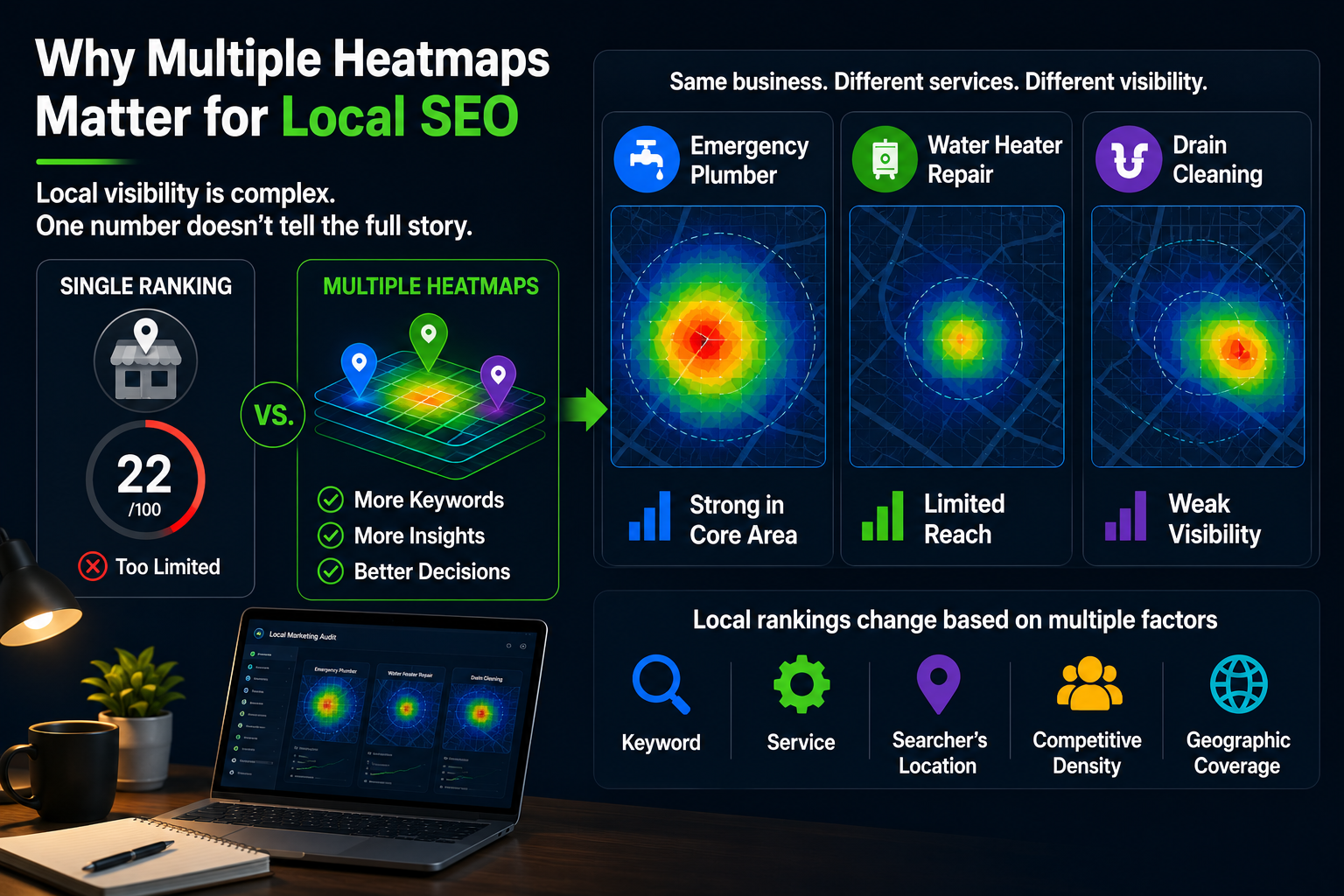
Local visibility is not one-dimensional.
A business's position can change based on:
Keyword
Service
Searcher's location
Competitive density
Geographic coverage
A single ranking number cannot fully represent these variables.
Heatmaps help visualize how rankings change across a geographic area. Adding multiple keywords makes that analysis considerably more useful because agencies can evaluate several important services without treating each one as an entirely separate audit.
This can support more informed discussions around Local SEO priorities and help businesses understand that ranking well for one keyword does not necessarily mean they have strong visibility across their entire service offering.
Using Local Marketing Audit for Prospecting
Agencies can use Local Marketing Audit to identify opportunities before a business becomes a client.
To begin:
Navigate to Agency → Prospecting.
Search for the relevant business.
Add the business as a prospect.
Generate its Marketing Audit Report.
Configure the Local SEO heatmaps around relevant keywords.
Share the report with the prospect.
Rather than relying on a generic SEO pitch, the report can provide a visual starting point for discussing actual local search gaps.
For example, an agency could demonstrate that the prospect performs well close to its location but loses visibility several miles away, or that competitors are outperforming it for a particularly valuable service.
Track Local Rankings for Existing Clients
The feature is equally valuable after a prospect becomes a client.
For an existing client, navigate to:
Sub-account → Reporting → Local Marketing Audit
From there, agencies can configure the Marketing Audit and monitor Local SEO performance over time.
Reports can also be configured to generate automatically every month.
This provides a practical way to demonstrate progress while continuing to identify new opportunities.
Instead of reporting only that "rankings improved," agencies can use heatmaps to show how geographic visibility has changed for individual services.
A Stronger Local SEO Reporting Experience
The upgraded Local SEO heatmaps make Marketing Audit Reports more flexible for both prospecting and ongoing client management.
Agencies can now analyze multiple keywords, customize geographic coverage, establish default configurations, remove irrelevant keywords, and present multiple heatmaps directly to prospects.
The most important improvement is context.
Local SEO performance is no longer represented by one keyword on one map. Agencies can build a broader picture of what a business ranks for, where it ranks, and where meaningful opportunities remain.
For agencies using Local SEO as part of their client acquisition or retention strategy, that creates a more practical foundation for audits, reporting, and conversations about future growth.
